

Research today moves at hyper-speed. To keep up with constant competitive shifts, emerging trends, and fast-evolving technologies, teams need reliable, real-time information — and this is exactly where Oxylabs n8n research automation becomes essential. Instead of relying on slow, repetitive manual processes, you can automate the entire research pipeline and deliver deep insights at scale.
Manual research is slow, inconsistent, and often produces only surface-level results. Most “AI research tools” simply grab the top few Google links and summarize them — which is nowhere near true research.
The real solution is to build your own deep research automation system powered by Oxylabs and n8n.
In this guide, you’ll learn how to build a high-performance research pipeline using Oxylabs (for scraping and real-time data extraction) and n8n (for workflow automation). With this setup, you can automate 80% of your research work while maintaining depth, accuracy, and repeatability.
Let’s build it step by step.
Why You Need an Oxylabs n8n Research Automation Workflow
Most workflows break down because research is:
- Time-consuming — searching, reading, summarizing
- Fragmented — dozens of sources in separate tabs
- Shallow — summaries based on limited inputs
- Inconsistent — depends on who’s doing the digging
A well-designed research automation flow solves all of this by:
- Pulling from dozens of sources automatically
- Extracting full-content articles, not previews
- Structuring everything into clean, normalized text
- Feeding raw data into LLMs for deep synthesis
- Producing a formatted research report instantly
This is the backbone of modern intelligence operations — and it can run 24/7.
Tools You’ll Use
Oxylabs APIs
- SERP Scraper API — large-scale Google/Bing results
- Web Scraper API — full-page extraction of any URL
best workflow for deep research automation
- Connect and orchestrate the entire pipeline
- Runs locally or in the cloud
- Offers Function nodes, AI nodes, HTTP nodes, and more
You’ll also use any LLM of your choice for final synthesis: OpenAI, Claude, Llama, Mistral, Groq, or on-prem.
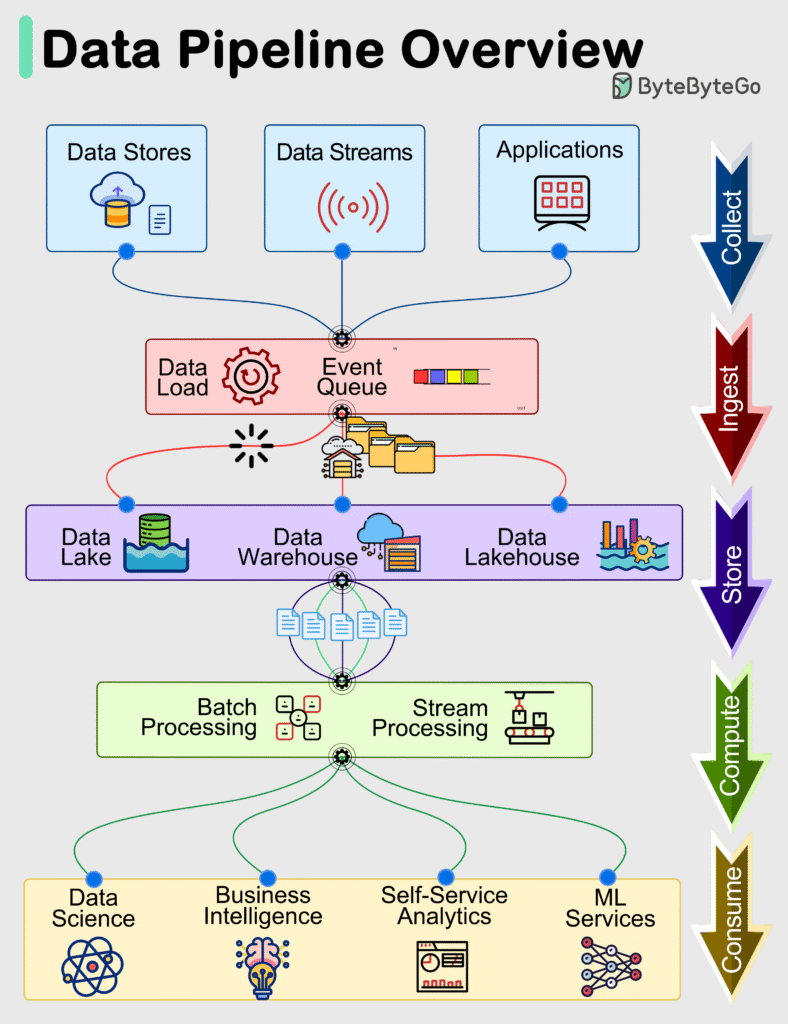
Architecture of the Automated Research Pipeline
Here’s the deep research workflow you’re about to build:
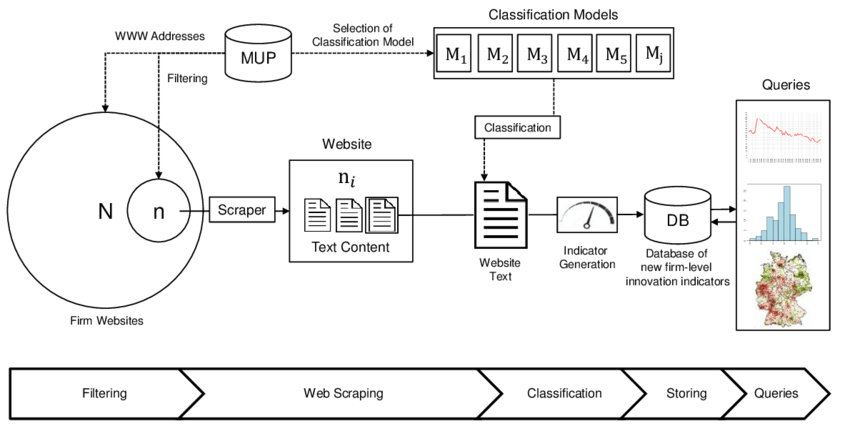
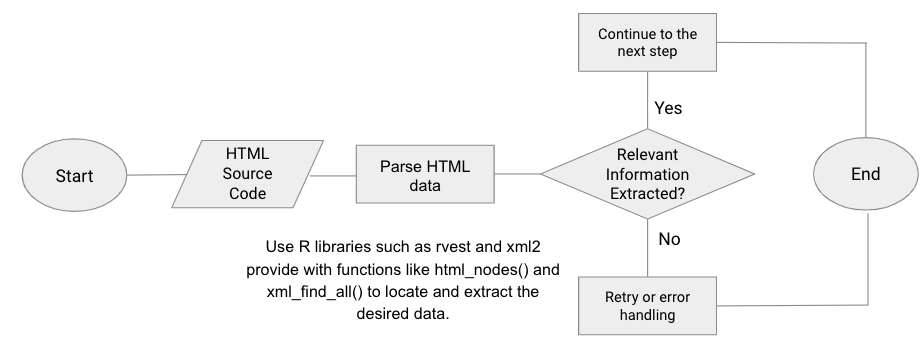
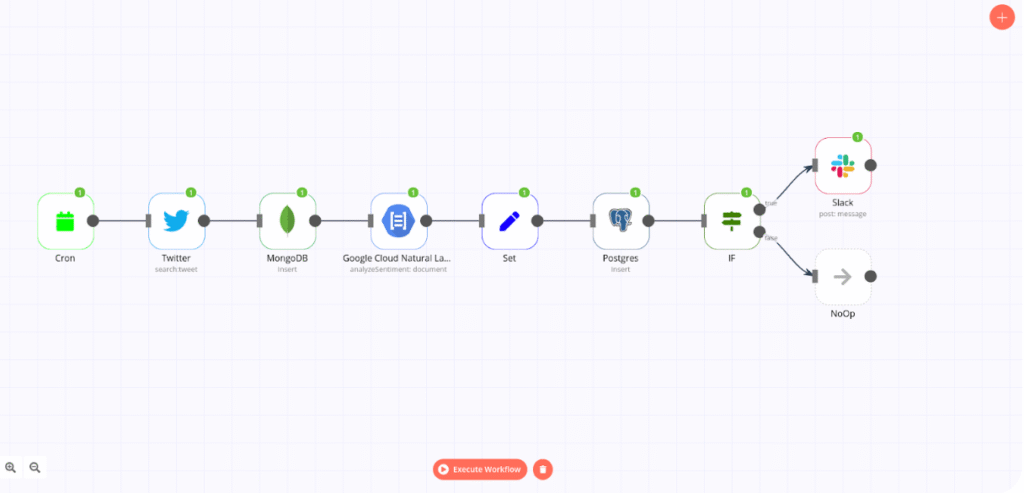
- Input a research topic
- Automatically generate expanded search queries
- Scrape SERPs using Oxylabs SERP Scraper API
- Extract URLs from results
- Scrape each article with Oxylabs Web Scraper API
- Clean & normalize extracted text
- Send structured content to an LLM
- Generate a research report
- Store or publish automatically
This is modular, fast, scalable, and repeatable across any topic.
Step-by-Step: Build the Automation Flow
1. Start With a Webhook or Manual Trigger in n8n
You need a way to start the workflow.
Input example:
{
  "topic": "AI inference optimization 2023-2025"
}
This topic becomes the core of your entire workflow.
2. Generate Multiple Search Queries (Function Node)
Scraping a single query is not enough.
We expand into multiple variations for deeper coverage.
const t = $json.topic;

return {
  queries: [
    `${t} latest research`,
    `${t} breakthroughs`,
    `${t} trends`,
    `${t} technical analysis`,
    `${t} academic papers`,
    `${t} industry adoption`,
    `${t} case studies`
  ]
};
This step alone boosts depth by 4–7×.
3. Scrape SERPs Using Oxylabs SERP Scraper API
Use an HTTP Request Node in n8n.
Endpoint:
POST https://realtime.oxylabs.io/v1/queries
Payload:
{
  "source": "google_search",
  "query": "AI inference optimization latest research",
  "parse": true
}
Oxylabs returns:
- organic search results
- URLs
- snippets
- titles
- related questions
- related searches
Everything arrives structured and clean.
4. Extract URLs From All SERPs
Function node:
return {
  urls: $json.results
    .flatMap(r => r.content.organic || [])
    .map(o => o.url)
};
You now have dozens of URLs from multiple SERPs.
5. Split the URLs Into Batches
Use Split in Batches Node:
- Avoids rate limits
- Enables parallel scraping
- Keeps workflow stable
Batch size: 3–5 URLs per run.
6. Scrape Each Article With Oxylabs Web Scraper API
Use another HTTP node.
Endpoint:
POST https://realtime.oxylabs.io/v1/queries
Payload:
{
  "source": "universal",
  "url": "{{$json.url}}",
  "parse": true
}
This returns:
- Clean text
- HTML DOM
- Metadata
- Title
- Authors
- Publication date
This is where true deep research begins.
7. Clean and Normalize All Extracted Text
Use a Code node:
const text = $json.results[0].content.text || "";

return {
  cleaned: text
    .replace(/\s+/g, " ")
    .replace(/(\n\s*)+/g, "\n")
    .trim()
};
Why it matters:
- Removes markup/ads
- Normalizes whitespace
- Prepares for LLM ingestion
8. Send Cleaned Data to an LLM for Synthesis
Create a new AI node.
Prompt Example (high-quality)
You are a senior research analyst.
Combine and analyze the following sources into a rigorous research report.

Required sections:
1. Executive Summary
2. Background & Context
3. Key Insights
4. Conflicting Findings
5. Trends (2023–2025)
6. Predictions
7. Opportunities & Threats
8. Source Citations with URLs

Write with clarity, depth, evidence, and objectivity.

Sources:
{{ $json.cleaned }}
This step turns raw scraped text into valuable intelligence.
Bonus Features to Upgrade Your Workflow
✔ Add Google Scholar scraping
For academic-level insights.
✔ Add News scraping
For fast-moving trends.
✔ Add translation layer
To research non-English sources automatically.
✔ Add vector database (Qdrant/Pinecone)
To build a long-term knowledge base.
✔ Schedule via Cron node
Run research automatically daily, weekly, or monthly.
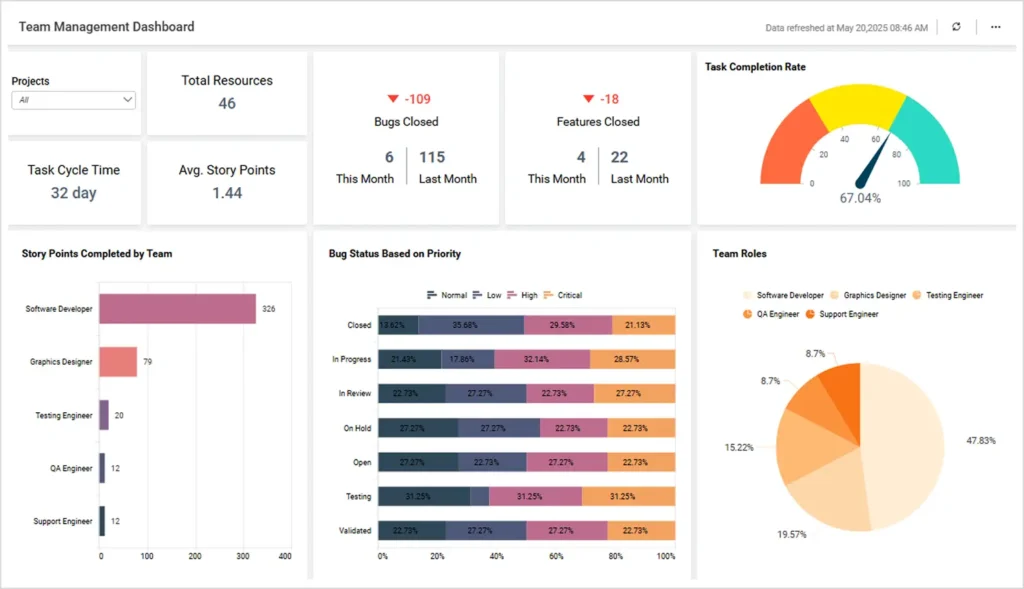
✔ Generate charts & diagrams
Turn insights into visuals automatically.

Final Thoughts
Building a deep research automation pipeline with Oxylabs + n8n gives you:
- Research that is deeper than human output
- Coverage across dozens of sources
- Faster results (minutes vs hours)
- Structured reports
- Repeatability
- Scalability
This workflow becomes your always-on research assistant collecting, cleaning, analyzing, and summarizing the world’s information for you.






Leave a comment